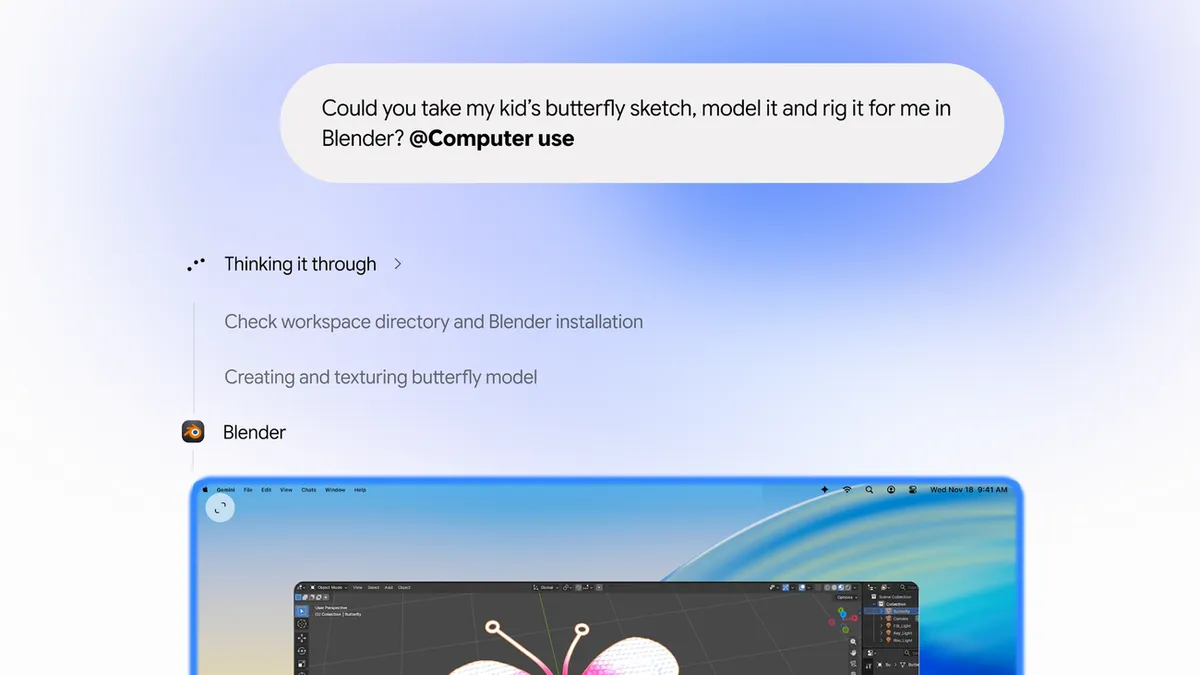
The Gemini app for Mac gets computer use: it completes multi-step tasks across local files, desktop apps and the web in an isolated background window, with key actions needing your approval
After Gemini Tasks went free on 11-17, Google brings its agent from the cloud onto the user's own computer. How it runs, how permissions work and who can use it.
// Key points
- Gemini clicks, types and works through menus and forms in an isolated background window with a live preview in the chat, leaving the user's main screen and cursor free.
- Users choose which apps Gemini can access, can pause at any time, and approve key actions before they happen.
- It is rolling out in English in the US, needs an Apple Silicon Mac on macOS Sequoia 15.0 or later, and is for personal accounts 18+ on Google AI Plus, Pro and Ultra.
Builder's takeAn isolated background window, per-app permission and approval at key steps: that is now close to the standard design for desktop agents. If your product touches users' local files, as the AI Cloud Drive desktop client does, copy its permission granularity first: grant by app rather than the whole machine, and put approvals before writes and submissions, or users won't hand over real work.
// Background · from #Google
Full timeline →- Nov 20 Gemini API previews Tool Retrieval: tool parameter schemas load on demand instead of sending the whole tool library on every request
- Nov 20 The Genie 4 world model comes to the Gemini API: interactive 720p worlds at 24 fps with synchronized native audio, from a text prompt or reference image
- Nov 19 Google releases Gemini 4 Neon at $3 input and $15 output per million tokens, with 32% lower cost per task than Carbon at its default high level