How to Deploy a Production-Grade App Without a DevOps Team
ALT: Engineer deploying production-grade app to cloud infrastructure without a dedicated DevOps team
Ship a Production-Grade App Without a Dedicated DevOps Team
You have a working product — the core features are solid, the demo goes well, and the team is ready to push it live. But there is no DevOps engineer on the roster, no platform team, and no one who has ever set up a production pipeline from scratch. That scenario is more common than most engineering leaders admit, and it is exactly the kind of moment where knowing the right patterns separates a successful launch from a drawn-out delay.
This guide is for startup founders, solo engineers, small engineering teams, and technical product managers who need to deploy a reliable, scalable application to production — without a dedicated operations function. You will walk away with a concrete, step-by-step approach that covers infrastructure, CI/CD, observability, and operational resilience, using modern managed tooling that compresses weeks of platform work into days.
Before You Start: Prerequisites and Preparation for a Solo Deployment
Deploying a production-grade application without a DevOps team is achievable when you treat infrastructure as a first-class engineering concern from day one. The work is front-loaded: good preparation eliminates the scramble that typically hits teams at go-live.
Before touching a deployment pipeline, you need a clear picture of your application's runtime requirements, its external dependencies, and the failure modes you can tolerate. A team that skips this step frequently discovers missing environment variables, unset database connection limits, or absent health check endpoints only after traffic hits the system.
The time investment is moderate but variable. A greenfield application on a single managed platform can be production-ready in a matter of days. A more complex system with multiple services, external integrations, and compliance requirements will take longer — quality of preparation directly predicts how smooth that timeline is.
Checklist before starting:
- Application code is version-controlled in a remote Git repository (GitHub, GitLab, or Bitbucket)
- Environment variables and secrets are identified and separated from source code
- The application exposes a health check endpoint (e.g.,
/healthor/readyness) - A target cloud or managed platform is selected (AWS, GCP, Azure, Render, Railway, Fly.io, or similar)
- A container runtime is available locally — Docker installed and working
- Basic DNS access to your domain registrar is confirmed
- A monitoring or error-tracking tool is chosen (Datadog, Sentry, BetterUptime, or equivalent)
- Backup and restore procedure for any stateful services (databases, object storage) is defined, at least conceptually
- Team access controls and secret rotation policy are documented, even informally
One pattern we consistently see in our work with early-stage teams is that the checklist above feels obvious until something on it is missing at 11 PM during a production incident. Treat it as a pre-flight check, not a formality.
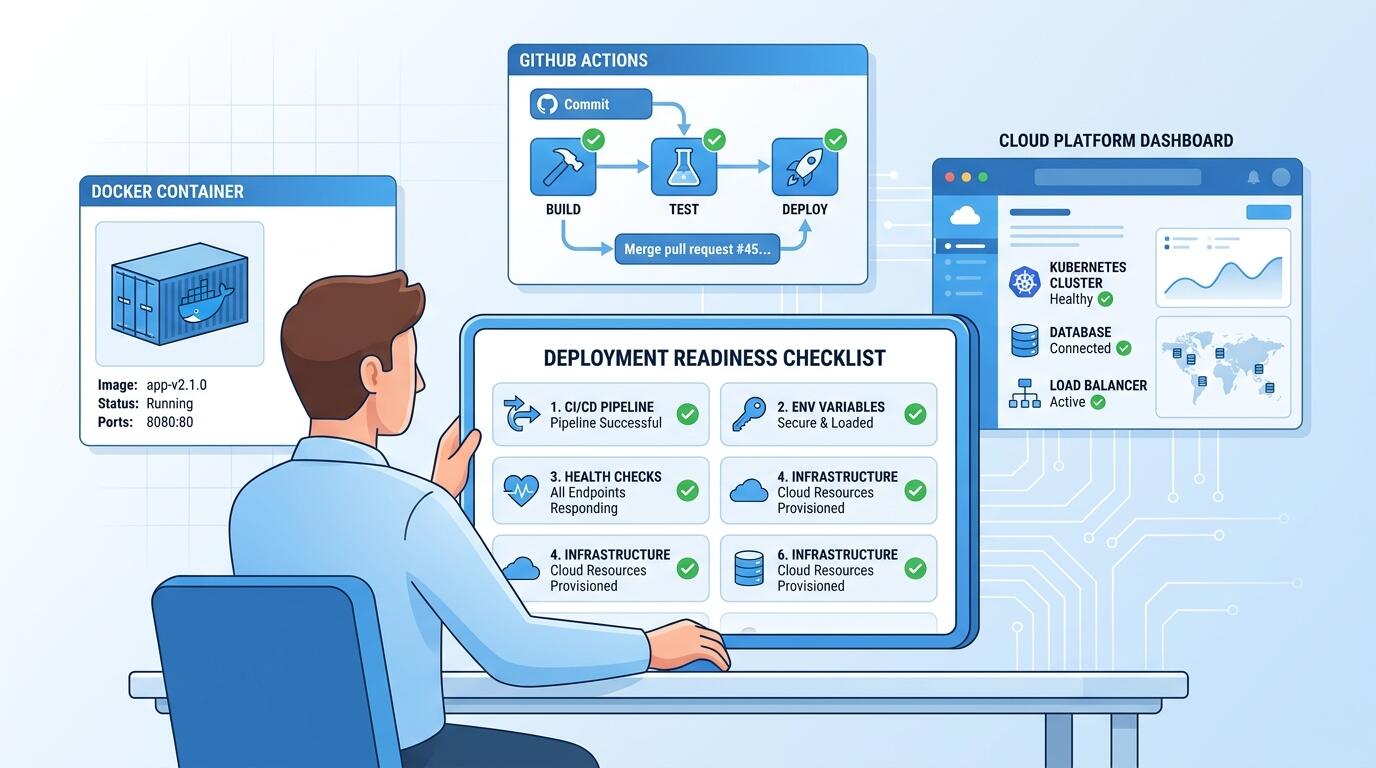
ALT: Developer reviewing a pre-deployment checklist for a production-grade app, covering CI/CD pipeline, environment variables, health checks, and cloud infrastructure setup without a DevOps team
Step-by-Step: How to Deploy a Production-Grade App Without a DevOps Team
The following six steps represent a proven sequence for getting a real application to production when you are operating without a dedicated platform or operations function. Each step is self-contained — do not skip ahead, because each one sets up the one that follows.
Step 1: Containerize Your Application with Docker
Containerization is the single most impactful step you can take before any deployment decision. A Docker container is a portable, self-contained unit that bundles your application with its runtime dependencies, eliminating the "works on my machine" problem that derails most early deployments.
Write a Dockerfile at the root of your repository. Start from an official, minimal base image (for example, node:20-alpine for Node.js apps or python:3.11-slim for Python), copy only the files your app needs, install dependencies, expose the correct port, and define a CMD or ENTRYPOINT. Use multi-stage builds to keep the final image lean — a smaller image means faster pull times and a reduced attack surface in production.
Once your image builds locally, verify it runs correctly by spinning it up with docker run and confirming the health check endpoint responds as expected. This local verification step is your fastest feedback loop before involving any cloud infrastructure.
Tip: Use a .dockerignore file to exclude node_modules, .git, and test files. This keeps your image small and your build cache effective.
Step 2: Choose a Managed Platform That Does the Heavy Lifting
The most practical way to deploy without a DevOps team is to offload infrastructure management to a platform designed for exactly that purpose. Managed platforms handle server provisioning, TLS certificate issuance, load balancing, and rolling deployments — the operational concerns that ordinarily require a dedicated engineer.
Platforms such as Render, Railway, and Fly.io provide Git-connected deployments, managed databases, environment variable management, and built-in health checks with minimal configuration. AWS App Runner and Google Cloud Run offer similar abstractions at hyperscaler scale, with the option to grow into more complex infrastructure later. Per Render's published guidance, deploying full-stack applications without DevOps expertise is one of the primary design goals of their platform — the tooling is built to make that achievable.
Select a platform based on three criteria: how well it matches your application's runtime (containerized vs. buildpack-based), the geographic regions it supports (latency matters), and its approach to managed databases if your application is stateful. For most early-stage products, a platform-as-a-service tier is the right starting point. This is the approach described in how to ship your first live product in 30 days, where managed platforms form the foundation of a rapid, repeatable delivery workflow.
Tip: Avoid the temptation to provision raw EC2 instances or bare VMs in the first iteration. The operational overhead is disproportionate for a small team — you are buying complexity you do not need yet.
Step 3: Configure Environment Variables and Secrets Management
Environment variables are how your application receives configuration that differs between environments — database URLs, API keys, feature flags, third-party service credentials. Hard-coding any of these values into source code is a critical security mistake that is alarmingly common in first-time production deployments.
Every managed platform provides a secrets management interface. Use it. Set environment variables through the platform's dashboard or CLI, not by committing a .env file to your repository. If your team is using AWS, use AWS Secrets Manager or Parameter Store. For Google Cloud, Secret Manager is the equivalent. For smaller deployments on platforms like Railway or Render, their native environment variable stores are sufficient.
Organize secrets by environment — separate values for development, staging, and production — and document which service consumes which variable. This documentation takes thirty minutes to create and saves hours during an incident when someone needs to rotate a compromised key quickly.
Tip: Use a secret scanning tool (GitHub's built-in secret scanning, GitGuardian, or similar) on your repository. Leaked secrets in version history are a common and entirely preventable production security incident.
Step 4: Build a CI/CD Pipeline That Deploys on Every Merge
A CI/CD pipeline is an automated process that builds, tests, and deploys your application whenever code is merged into your main branch. Without a DevOps team, a well-configured pipeline is your operational safety net — it enforces consistency and removes the risk of manual deployment errors.
GitHub Actions is the most accessible starting point for teams already using GitHub. A basic workflow file in .github/workflows/deploy.yml can run your test suite, build your Docker image, push it to a container registry, and trigger a deployment on your managed platform — all in sequence, on every merge to main. Most managed platforms provide official GitHub Actions integrations that reduce this to a few lines of configuration.
A minimal effective pipeline includes three stages: build (compile or containerize), test (unit and integration tests), and deploy (push to the target environment). If any stage fails, the pipeline stops and the broken code never reaches production. This is the baseline. Over time, add linting, security scanning, and performance tests as the team's confidence grows. According to industry best practices documented by the DORA (DevOps Research and Assessment) research program at Google, deployment frequency and change failure rate are two of the four key metrics that separate high-performing engineering teams — a solid pipeline directly improves both.
Tip: Deploy to a staging environment first, then promote to production with a manual approval gate. This one-click promotion model gives you confidence without sacrificing speed.
Step 5: Set Up Observability Before You Need It
Observability is the ability to understand what your system is doing based on its external outputs — logs, metrics, and traces. You cannot operate a production system you cannot observe. Setting up observability before launch, not after the first incident, is the decision that separates teams that recover quickly from those that spend hours in the dark.
Structured logging is the starting point. Configure your application to emit JSON-formatted logs with consistent fields: timestamp, severity level, request ID, and a human-readable message. Send these logs to a managed log aggregation service — Datadog, Logtail, Papertrail, or your cloud provider's native logging service. Structured logs are searchable, filterable, and can feed automated alerts.
Add application-level error tracking through a service like Sentry. Sentry captures unhandled exceptions with full stack traces, the request context that caused them, and a count of how many users were affected — all without any manual log searching. For uptime monitoring, tools like BetterUptime or UptimeRobot poll your health check endpoint at regular intervals and alert you immediately if it stops responding.
For teams building AI-powered features, observability extends to model performance and latency — a concern covered in depth in our article on designing a scalable AI architecture for production, where tracing inference pipelines alongside application metrics is a critical operational pattern.
Tip: Define at least two alerts before launch: one for error rate exceeding a threshold, and one for health check failures. These two signals cover the majority of production incidents.
Step 6: Establish a Runbook and an Incident Response Process
A runbook is a documented set of procedures for operating and troubleshooting your application. On a small team without a DevOps function, a lightweight runbook is the operational knowledge that survives personnel changes, late-night incidents, and the inevitable moment when the person who built the deployment is unavailable.
A minimal runbook covers four areas: how to deploy a new version, how to roll back to the previous version, how to check application and infrastructure health, and how to escalate if something is beyond the on-call engineer's ability to fix. It does not need to be a comprehensive document — a single well-organized page in Notion, Confluence, or a Markdown file in the repository is enough to start.
Pair the runbook with a simple incident response process. Decide in advance who gets paged when an alert fires, what constitutes a severity-one incident, and what the communication protocol is (internal Slack channel, status page update, customer email). According to the Site Reliability Engineering principles documented by Google, operational runbooks and defined escalation paths are foundational practices even in organizations with large, dedicated SRE teams — for a small team without that function, they are doubly important.
Tip: After every incident, write a brief post-mortem focused on what failed, why, and what changes would prevent a recurrence. A two-paragraph post-mortem is infinitely more valuable than none.
Common Mistakes and Troubleshooting in Solo Production Deployments
Even well-prepared teams run into predictable problems during and after their first production deployment. The table below maps the symptoms you are likely to encounter to their root causes and the fixes that resolve them.
| Symptom | Likely Cause | How to Fix |
|---|---|---|
| Deployment succeeds but the app returns 502 errors | Container starts but the application crashes on boot due to a missing environment variable or failed dependency connection | Check platform logs for startup errors; verify all required env vars are set; confirm database and external services are reachable from the deployment environment |
| Health check endpoint passes but users report intermittent failures | Health check is too shallow — it returns 200 without verifying downstream dependencies | Deepen the health check to query the database and at least one critical external service; return a structured response with dependency status |
| CI/CD pipeline passes but production behavior differs from staging | Environment-specific configuration drift — staging and production use different env var values or service versions | Audit environment variables across both environments; use infrastructure-as-code or a documented parity checklist to align them |
| TLS certificate is not issued or renewal fails | DNS configuration incorrect or certificate provisioning timeout | Verify DNS A/CNAME records point to the correct platform IP or hostname; check platform's certificate status dashboard; allow sufficient propagation time |
| Application memory usage grows steadily until crash | Memory leak in application code or unclosed database connections | Add memory usage to your monitoring dashboard; use a profiler in staging to identify the leak; implement connection pool limits and connection timeout settings |
| Rollback takes too long and extends downtime | No documented rollback procedure; manual steps required under pressure | Document rollback steps in the runbook before launch; test a rollback in staging before the production go-live; configure your platform's instant rollback feature if available |
A pattern we consistently see in our work with early-stage teams is that the most damaging incidents are not caused by novel failures — they are caused by well-known failure modes that were not anticipated during preparation. The table above is drawn from that operational experience.
Pro Tips for Deploying Without a DevOps Team
Treat infrastructure as code from the start. Even without a formal DevOps function, writing your infrastructure configuration in code — using tools like Terraform, Pulumi, or a platform's native configuration format — makes your environment reproducible, reviewable, and recoverable. The marginal cost of doing this from day one is low; the cost of retrofitting it after a production incident is high.
Use blue-green or rolling deployments instead of in-place replacements. Most managed platforms offer zero-downtime deployment strategies as a configuration option. Enable them. An in-place deployment that briefly takes your application offline is unnecessary risk when the alternative is a few lines of configuration.
Implement rate limiting and input validation at the edge. Without a dedicated security engineer, your first line of defense against abuse and malformed requests is application-level validation and a rate limiter applied at your load balancer or API gateway. Many managed platforms include basic DDoS protection; add application-level rate limiting as a code-level concern.
Automate database migrations as part of your deployment pipeline. Database schema changes applied manually and out of sync with application deployments are a leading cause of production incidents on small teams. Run migrations as a pre-deployment step in your CI/CD pipeline, with an automated rollback on failure.
Misconception to address: Many teams believe that production-grade infrastructure requires a dedicated DevOps team, a complex Kubernetes cluster, and weeks of platform engineering work. This is no longer accurate. The managed platform ecosystem has matured to the point where a single engineer can configure a resilient, observable, scalable deployment in a matter of days — the craft is in knowing which decisions matter and which can be deferred. As noted in a detailed community discussion on one-person DevOps approaches, the majority of what makes a deployment "production-grade" is discipline and configuration, not headcount.
People Also Ask
Q1: How do you set up a CI/CD pipeline for a small team without dedicated DevOps engineers?
The most accessible approach is GitHub Actions combined with a managed deployment platform. Write a workflow file that runs tests on every pull request and deploys to production on every merge to main. Most platforms (Render, Railway, Fly.io, AWS App Runner) publish official GitHub Actions integrations that reduce the deployment step to a few configuration lines. The key is to automate every manual deployment step — the pipeline enforces consistency that would otherwise depend on individual discipline.
Q2: Is it safe to run a production app without a DevOps team?
A production application can be operated safely without a dedicated DevOps team if you use managed infrastructure, implement structured logging and error tracking before launch, define a basic runbook, and establish an incident response process. The risk is not the absence of a DevOps title — it is the absence of the practices that role typically owns. Managed platforms have absorbed much of the operational complexity that previously required specialized expertise, but the application-level concerns (observability, secret management, deployment strategy) remain the team's responsibility.
Q3: How long does it take to deploy a production-grade app without DevOps support?
The timeline depends heavily on application complexity and preparation quality. A straightforward web application with a single managed database, deployed to a platform-as-a-service provider with a basic CI/CD pipeline, can be production-ready in a few days of focused engineering work. A multi-service system with compliance requirements, external integrations, and a custom domain configuration will take longer. The preparation checklist — containerization, secrets management, health checks, and observability setup — is the work that determines the timeline, not the deployment itself.
Wrapping Up
Deploying a production-grade application without a DevOps team is not a compromise — it is an engineering decision that is well-supported by modern tooling when executed with discipline. Three principles anchor the approach described in this guide.
First, containerize early and use managed platforms to absorb infrastructure complexity. The operational overhead that once required a dedicated engineer is now handled by the platform — your responsibility is to configure it correctly and understand its failure modes.
Second, observability and runbooks are not optional post-launch additions. They are the operational foundation that makes a small team capable of running a reliable system. Build them in before the first user arrives.
Third, a well-configured CI/CD pipeline is the closest thing to a DevOps team you can have at minimal cost. It enforces consistency, eliminates manual error, and gives every engineer on the team confidence that their change will behave in production the way it behaved in staging.
The next step is to work through the checklist in the preparation section and apply the six steps to your current application. Start with containerization and platform selection — those two decisions shape everything that follows.
If you are ready to ship a production-ready product and want hands-on guidance from an experienced Engineering Director and AI Architect, explore real projects, technical insights, and professional experience at Darius. Whether you are architecting your first cloud deployment or scaling an existing system, reach out to get expert support at every stage of the journey.
References
- Render. "How to deploy full stack applications without DevOps expertise".
https://render.com/articles/how-to-deploy-full-stack-applications-without-devops-applications-without-devops-expertise - Nicholas Thoni. "One-Person DevOps: How to Deploy Without a Dedicated Ops Team".
https://medium.com/@nicholasthoni/one-person-devops-how-to-deploy-without-a-dedicated-ops-team-25462da46ea9 - YouTube / Engineering Channel. "How Real DevOps Teams Deploy to Production (Step-by-Step)".
https://www.youtube.com/watch?v=NkcliZ00jlQ&vl=en - Google Cloud. Site Reliability Engineering — Principles and Practices.
https://sre.google/
Note: Standards and platform documentation may be updated; please check the latest official documentation or consult professional advisors before implementation.