How to Build an Agentic Workflow That Ships to Production
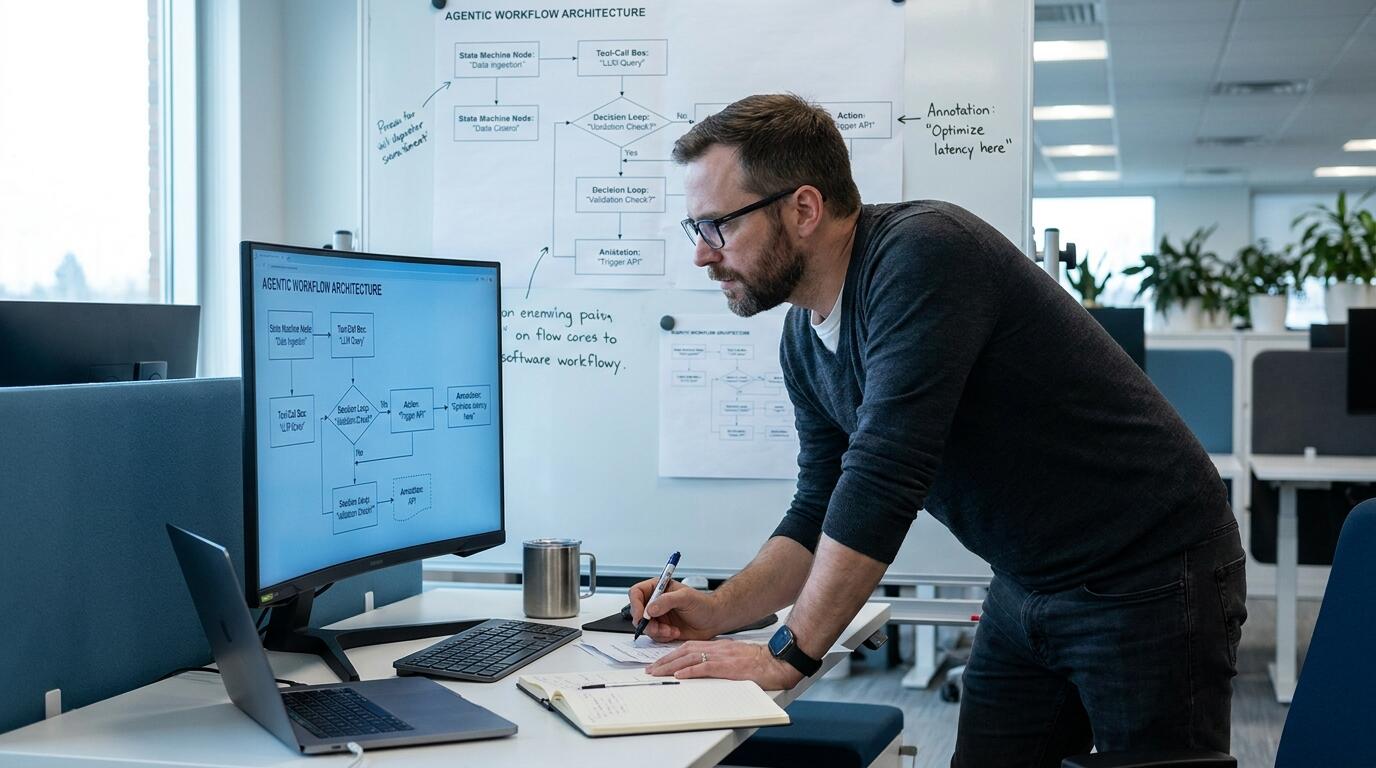
ALT: Engineer reviewing an agentic workflow architecture diagram before deploying an AI agent system to production
How to Build an Agentic Workflow That Ships to Production
What separates an agentic workflow that survives contact with real users from one that stays a demo forever? The answer is disciplined engineering: an agentic workflow that ships to production is one built with explicit state management, tool-call verification, observability, and graceful failure handling from day one, not bolted on after launch. This guide walks through the exact sequence we follow when moving an AI agent system from a working prototype to a system real customers depend on.
This matters because most agentic prototypes die in a predictable place — the gap between "it works on my test prompts" and "it works reliably for thousands of unpredictable users." A pattern we consistently see across engineering teams is excitement over a slick demo followed by months of stalled deployment because nobody planned for retries, cost ceilings, or partial tool failures. This guide is written for software engineers, AI architects, and startup builders who need a repeatable, production-grade path rather than another framework tutorial.
Before You Start: Prerequisites & Preparation
Building an agentic workflow that actually ships requires more than picking a large language model and wiring up a few tools. Before writing orchestration code, you need clarity on the problem the agent solves, the boundaries of its authority, and the infrastructure that will hold it accountable when it inevitably makes mistakes. Skipping this preparation phase is the single most common reason agentic projects stall in staging.
Time and effort here vary by team maturity and system complexity, so rather than quoting a fixed timeline, plan for a genuine design phase before implementation — teams that rush straight to coding almost always end up re-architecting later. Treat this as an investment that reduces total build time, not an optional detour.
You will also need alignment on what "production-ready" means for your specific use case. A customer-facing support agent has different reliability requirements than an internal research assistant, and conflating the two leads to either over-engineering or dangerous under-engineering.
Checklist before starting:
- A clearly scoped task definition: what decisions the agent is allowed to make autonomously versus what requires human approval
- Access to a model provider or self-hosted inference stack with predictable latency and rate limits
- A logging and tracing solution capable of capturing every prompt, tool call, and model response
- Defined tools or APIs the agent will call, each with documented inputs, outputs, and failure modes
- A staging environment that mirrors production traffic patterns closely enough to catch edge cases
- Stakeholder agreement on acceptable error rates, cost ceilings, and fallback behavior
Step-by-Step Instructions
Step 1: Define the Agent's Scope and Decision Boundaries
Start by writing a one-page specification of exactly what the agent is responsible for and, just as importantly, what it is not responsible for. An agentic workflow is a system in which a language model plans, calls tools, and takes sequential actions toward a goal with limited human intervention at each step. Vague scope is the root cause of most runaway agent behavior, so name the specific tasks, the tools it can invoke, and the conditions under which it must stop and escalate to a human.
In our work architecting AI-native products, we have found that teams who write this specification down — even informally — catch scope creep weeks before it becomes a production incident. Treat the specification as a contract between the product team and the engineering team, not just internal documentation.
Tip: Write the specification as a list of "the agent may" and "the agent may never" statements. This binary framing exposes ambiguity far faster than prose descriptions.
Step 2: Design the Orchestration Layer and State Management
The orchestration layer is the code that manages the agent's reasoning loop, tool calls, and memory across multiple steps of a task. Choose between a deterministic state machine, a graph-based orchestrator, or a fully autonomous reasoning loop based on how predictable your task is — the more compliance or financial stakes involved, the more deterministic your orchestration should be. Persist state to durable storage rather than in-memory variables so that a crashed process can resume rather than silently losing a user's in-flight task.
According to the National Institute of Standards and Technology, AI systems intended for consequential use should be designed with mechanisms for human oversight and traceable decision logs, a principle that applies directly to how you structure agent state and checkpoints. Building this in from the orchestration layer outward is far cheaper than retrofitting it after an incident.
Tip: Store every state transition with a timestamp and the reasoning trace that produced it — this becomes invaluable during debugging and later during compliance review.
Step 3: Instrument Tool Calls With Strict Validation
Every external tool or API the agent calls should be wrapped with input validation, output schema checking, and a timeout. Never let raw model output pass directly into a production API without a validation layer, because hallucinated parameters are one of the most common causes of agentic workflow failures. Define a strict JSON schema for every tool call and reject anything that does not conform, forcing the agent to retry with corrected input rather than silently executing malformed instructions.
A pattern we consistently see in mature agent systems is treating every tool as if it were an untrusted third-party API, even when it is internal. This mindset shift alone prevents a large share of the failures that would otherwise only surface in production.
Tip: Log both the raw model-generated tool call and the validated, sanitized version side by side — comparing the two over time reveals systematic prompting weaknesses.
Step 4: Build Observability Before You Need It
Observability for an agentic workflow means capturing full traces of prompts, intermediate reasoning, tool responses, latency per step, and token cost per session. Set this up before broader testing begins, not after the first production incident forces your hand. Dashboards should surface anomalies like unusually long reasoning chains, repeated tool-call failures, or cost spikes per user session in near real time.
Per guidance from the IEEE on system reliability engineering, traceability and continuous monitoring are foundational requirements for any autonomous or semi-autonomous system operating in production. Treat your agent's decision trail with the same rigor you would apply to a financial transaction log.
Tip: Alert on reasoning loop length, not just error rate — an agent stuck in an unproductive loop often burns cost and latency long before it technically "fails."
Step 5: Test With Adversarial and Edge-Case Scenarios
Standard unit tests are insufficient for agentic systems because the failure surface includes ambiguous user intent, malformed tool responses, and prompt injection attempts. Build a test suite specifically targeting these categories: contradictory instructions, missing data, hostile inputs designed to hijack the agent's goal, and tool failures mid-task. Run these tests continuously in CI, not just once before launch, since model updates or prompt changes can silently reintroduce old failure modes.
The OWASP Foundation's guidance on large language model application risks specifically calls out prompt injection and excessive agency as top concerns for systems that grant a model autonomous tool access. Building adversarial test cases directly from that framework gives your test suite a credible, external baseline rather than relying purely on internal intuition.
Tip: Maintain a growing regression library of every production incident, converted into a repeatable test case — this is the single highest-leverage testing investment over time.
Step 6: Implement Graceful Degradation and Human Escalation
No agentic workflow can achieve perfect reliability, so design explicit fallback paths for when the agent is uncertain, a tool fails, or cost or time budgets are exceeded. Graceful degradation might mean returning a partial result with a clear caveat, or seamlessly handing off to a human operator with full context already attached. The escalation path itself needs to be tested as rigorously as the happy path, because it is the safety net your users experience during the worst moments of the system's operation.
Tip: Give the agent an explicit "I am not confident enough to proceed" action as a first-class tool call, rather than forcing it to either succeed or fail silently.
Step 7: Roll Out Gradually With Kill Switches
Deploy the agentic workflow behind a feature flag and route a small percentage of real traffic to it before a full rollout, comparing outcomes against your existing process or a simpler rule-based baseline. Maintain a manual kill switch that can instantly disable autonomous agent actions and fall back to a safe default, and rehearse using it before you actually need it under pressure. Gradual rollout is what turns "we tested this in staging" into genuine confidence that the system behaves correctly under real, messy production load.
Tip: Track a small set of leading indicators — escalation rate, average reasoning steps per task, and cost per completed task — as your primary rollout health signals rather than relying solely on lagging business metrics.
Common Mistakes & Troubleshooting
| Symptom | Likely Cause | How to Fix |
|---|---|---|
| Agent takes inconsistent actions for near-identical inputs | Missing or overly loose state management, non-deterministic prompt structure | Introduce stricter state persistence and pin prompt templates with versioning |
| Tool calls fail silently or produce malformed data downstream | No schema validation layer on tool inputs and outputs | Add strict JSON schema validation with automatic retry on rejection |
| Costs spike unexpectedly in production | Unbounded reasoning loops or unmonitored token usage per session | Set hard iteration and cost caps per task with automatic escalation on breach |
| Debugging incidents takes excessive engineering time | Insufficient tracing and logging of intermediate reasoning steps | Instrument full observability before scaling traffic, not after incidents occur |
| Agent is manipulated into unintended actions via crafted input | No adversarial testing for prompt injection or excessive agency | Build a regression suite based on recognized LLM risk frameworks and test continuously |

ALT: Dashboard showing observability traces and tool-call validation for a production agentic workflow system
Pro Tips for Better Results
Treat your agentic workflow's prompt templates as versioned artifacts with the same discipline as application code, including code review and rollback capability. A common misconception is that prompt tuning is a one-time creative task; in practice, prompts drift in effectiveness as underlying models update, so ongoing prompt regression testing deserves a permanent place in your engineering roadmap.
Separate the planning step from the execution step explicitly, even if you use a single model for both. Having the agent produce an explicit plan before taking any tool action makes the reasoning auditable and gives you a natural checkpoint for validation or human review before irreversible actions occur.
Budget cost and latency per task type, not just globally. A support-ticket-triage agent and a multi-step research agent have wildly different acceptable cost profiles, and a single global budget tends to either starve the complex tasks or overspend on the simple ones.
Resist the urge to give the agent more autonomy than the task actually requires. In our experience architecting AI-native products, the most reliable production agents are the ones scoped narrowly and composed together, rather than a single sprawling agent attempting to handle every possible user intent.
Finally, build your evaluation harness around real user tasks captured from staging or early rollout traffic, not synthetic benchmark prompts alone. Synthetic benchmarks are useful for regression testing but rarely capture the genuine messiness of production input.
Frequently Asked Questions FAQ
Q1: How do I know if my agentic workflow is ready for production traffic?
An agentic workflow is ready when it has passed adversarial testing, has full observability instrumented, includes a tested human escalation path, and has run successfully against a gradual rollout with real but limited traffic. Readiness is not a single milestone but a combination of these operational safeguards functioning together under realistic conditions before you commit to a full launch.
Q2: Is a fully autonomous agent safer than a human-in-the-loop design for production use?
No, a fully autonomous agent is generally riskier for production use than a design that includes human-in-the-loop checkpoints for consequential actions. Frameworks such as those referenced by the OWASP Foundation specifically flag excessive agency as a top risk category, and most mature production systems retain explicit escalation points rather than removing human oversight entirely.
Q3: How much engineering effort does shipping an agentic workflow typically require compared to a standard feature?
It typically requires meaningfully more engineering effort than a standard feature, because observability, tool validation, adversarial testing, and escalation handling are all additional layers beyond core logic. Teams that budget for this upfront, rather than treating it as an afterthought, consistently ship faster overall because they avoid costly late-stage rework.
Summary
Shipping an agentic workflow to production is fundamentally a discipline of engineering rigor, not prompt cleverness. The core value of this approach rests on three pillars: scoping the agent's authority explicitly before writing code, instrumenting observability and tool validation from the very first version, and rolling out gradually with tested escalation and kill-switch mechanisms in place. Teams that follow this sequence consistently avoid the painful cycle of demo success followed by production stalling.
The clear next step is to audit your current agentic prototype against the checklist and steps above, starting with whether your state management and tool validation layers would survive an adversarial test today. If gaps surface, address observability and escalation paths before expanding scope or autonomy further.
Building AI-native systems this way — where reliability and traceability are core architecture decisions rather than afterthoughts — is exactly the philosophy behind how Darius approaches production AI product design.
Ready to see how AI-native products are built and shipped in the real world? Visit Darius at the Darius website to explore hands-on insights from an Engineering Director and AI Architect, along with practical tools like an AI cloud drive, AI mock interview platform, and AI creator cockpit designed to help you work smarter. Start your journey toward building or leveraging truly AI-native solutions today.
Sources & Citations
- National Institute of Standards and Technology. "AI Risk Management Framework".
https://www.nist.gov/ - Institute of Electrical and Electronics Engineers. "IEEE Standards for System Reliability and Autonomous Systems".
https://www.ieee.org/ - OWASP Foundation. "OWASP Top 10 for Large Language Model Applications".
https://owasp.org/ - International Organization for Standardization. "ISO/IEC Standards on Artificial Intelligence Systems".
https://www.iso.org/
Note: Standards may be updated; please check the latest official documents or consult professional advisors.