AI-Powered File Organization: A Getting-Started Guide for Professionals

ALT: Professional using AI-powered file organization software to sort digital documents on laptop screen
How AI-Powered File Organization Helps Professionals Reclaim Hours Lost to Digital Clutter
AI-powered file organization is the practice of using machine learning models to automatically classify, tag, rename, and structure digital files based on their content rather than relying solely on manual folder hierarchies. This guide walks tech professionals, engineering leads, and content creators through a practical, step-by-step path to implementing an AI-driven file system that actually reduces the time spent searching for documents. By the end, you will understand how to evaluate tools, configure automated workflows, and measure whether the investment pays for itself in reclaimed hours and reduced friction.
Knowledge workers routinely lose meaningful chunks of their week to file retrieval, duplicate cleanup, and manual sorting — a problem that scales painfully as teams and project archives grow. This guide is written for anyone managing a large volume of documents, code repositories, media assets, or interview prep materials who wants a repeatable, cost-effective method to bring order to that chaos using AI rather than brute-force manual labor.
Before You Start: Prerequisites and Preparation
Getting AI-powered file organization right does not require a data science background, but it does require some upfront groundwork. In our work with engineering teams and independent creators, the biggest predictor of success is not the tool chosen but whether the underlying file structure and access permissions were audited before automation was switched on. Skipping this step tends to produce noisy, low-trust results that undermine adoption.
You will need an active cloud storage account (or a local drive you intend to migrate), administrative access to that storage if you are rolling this out for a team, and a rough inventory of your current file volume and types — documents, code, spreadsheets, images, or video. Budget-conscious teams should also decide upfront whether they need a fully managed AI drive or a lighter-weight organizer that layers onto existing storage, since pricing models differ significantly between the two approaches.
Time investment is front-loaded: initial setup and the first full classification pass take longer than routine maintenance, but ongoing upkeep should shrink dramatically once rules and models are trained on your patterns. Most professionals can expect the heaviest lift in the first working session, with subsequent sessions becoming largely passive.
Checklist before starting:
- Cloud storage or local drive access confirmed, with admin rights if working on a shared team drive
- A rough audit of file types, volume, and any sensitive or regulated content categories
- Clarity on budget tier — free tier trial, mid-range subscription, or enterprise-grade deployment
- Backup of critical files completed before any bulk reorganization begins
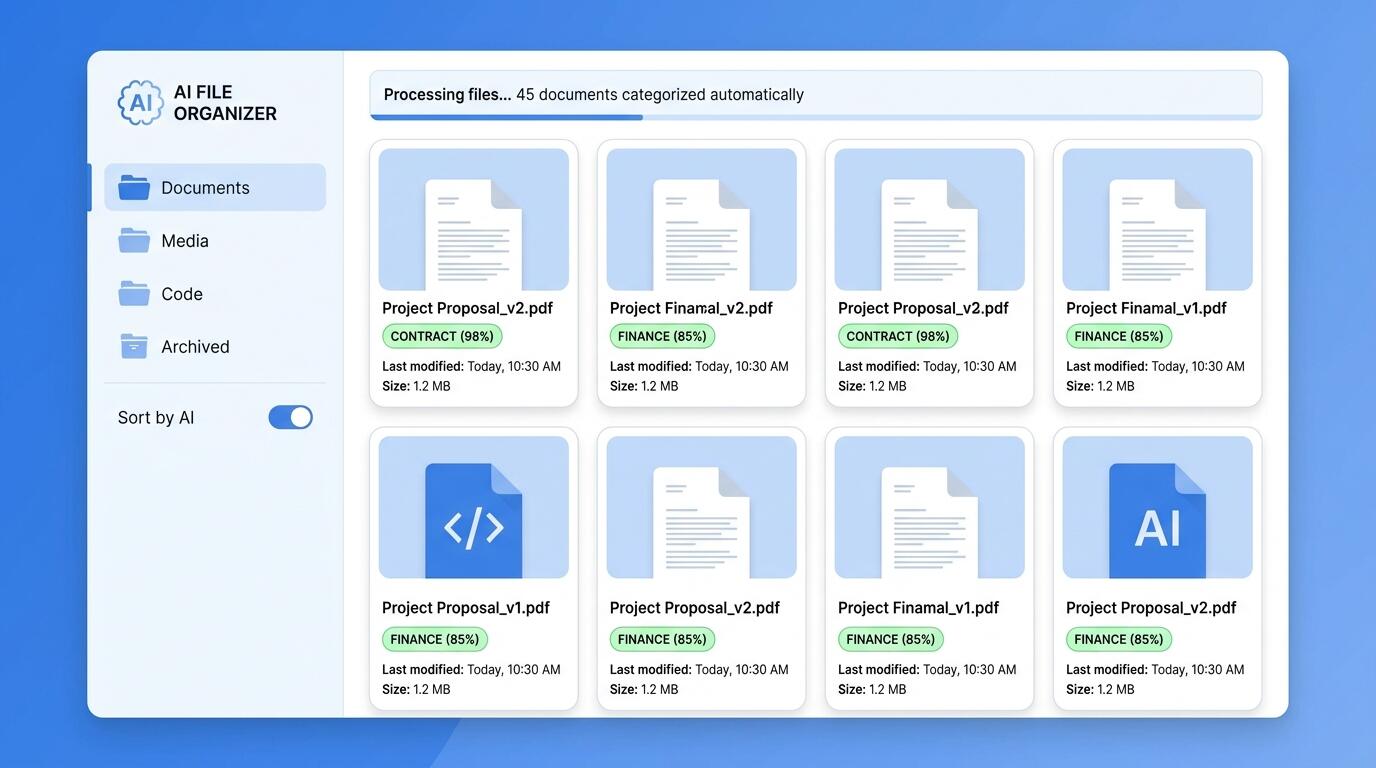
ALT: Dashboard interface showing AI-powered file organization categorizing documents by content and metadata
Step-by-Step Instructions for Setting Up AI-Powered File Organization
The following sequence reflects the pattern we consistently see work best across engineering teams, interview candidates managing prep materials, and content creators handling large media libraries. Each step builds on the last, so resist the urge to skip the audit phase even if a tool promises instant results.
Step 1: Audit Your Existing File Landscape
Before introducing any automation, catalog what you actually have. Open your primary storage locations and note recurring file types, naming inconsistencies, duplicate clusters, and folders that have become dumping grounds over time. This audit does not need to be exhaustive, but it should surface the patterns an AI classifier will later need to recognize.
Tip: Spend extra attention on any folder with generic names like "Misc" or "Old Files" — these are almost always the densest source of duplicates and misfiled content, and cleaning them manually first will make the AI's first pass far more accurate.
Step 2: Choose an AI File Organization Tool That Matches Your Workflow
Select a platform based on how deeply AI is integrated into the core workflow, not just bolted on as a search filter. According to guidance from thedrive.ai, effective AI file organization tools should classify content contextually — understanding what a document is about, not merely its file extension or filename. Evaluate candidates against your budget tier and whether you need collaborative, team-wide organization or a single-user setup.
Tip: Prioritize tools that offer a trial period long enough to run at least one full classification cycle on a representative sample of your real files, since demo environments rarely reveal how a model handles your specific document types.
Step 3: Define Your Classification Taxonomy
Decide on the high-level categories that matter for your work — for example, active projects, client deliverables, interview preparation notes, code snippets, or archived media. Feed these categories into the tool's configuration so the underlying model has a scaffold to map content against, rather than inventing its own arbitrary structure.
Tip: Keep your taxonomy to a manageable number of top-level categories; overly granular structures tend to confuse both the AI classifier and future you when searching months later.
Step 4: Run the Initial Automated Classification Pass
Trigger the tool's first bulk scan across your selected storage location. Most AI-powered organizers will read file content, metadata, and contextual signals like creation patterns or embedded text to propose a new structure. Review the proposed changes before committing them wholesale, especially for regulated or sensitive document categories.
Tip: Treat this first pass as a draft, not a final answer — approving in batches by category (documents first, then media, then code) gives you clearer visibility into where the model performs well versus where it needs correction.
Step 5: Correct and Reinforce the Model's Suggestions
Where the AI misclassifies a file, correct it and, if your platform supports it, flag the correction so the underlying model can learn from your preferences. This feedback loop is what separates a static rules engine from genuine AI-powered organization — the system should get measurably better with each correction cycle rather than repeating the same mistakes.
Tip: Document a handful of edge cases in a simple note so you can check, after a few cycles, whether the tool has actually internalized your corrections — this is a fast way to validate the return on your time investment.
Step 6: Automate Ongoing Ingestion Rules
Once the initial structure is stable, configure automation so newly created or uploaded files are classified and filed on arrival rather than requiring another bulk pass later. This is where the real time savings compound, since ongoing maintenance becomes nearly invisible rather than a recurring weekend chore.
Tip: Set a recurring but infrequent review — a light monthly check tends to be enough to catch drift without turning maintenance back into a manual burden.
Step 7: Integrate Search and Retrieval Into Daily Workflow
Adopt the tool's AI-powered search as your default retrieval method rather than falling back on manual folder browsing. A well-implemented system should let you query by concept or content ("client contracts from last quarter") rather than requiring you to remember exact filenames or folder paths.
Tip: Track how often you actually use natural-language search versus manual browsing over the following weeks — a genuine shift in behavior is the clearest signal that the system is delivering real value for the budget spent.
Common Mistakes and Troubleshooting
Even well-planned rollouts run into friction. The table below reflects the issues we most frequently see reported when professionals adopt AI-powered file organization for the first time.
| Symptom | Likely Cause | How to Fix |
|---|---|---|
| AI consistently misfiles a specific document type | Taxonomy categories are too broad or overlapping | Narrow or split the category and re-run classification on that subset |
| Duplicate files keep reappearing after cleanup | Sync settings across multiple devices are not aligned | Audit connected devices and disable redundant auto-upload sources |
| Search returns irrelevant results | Tool is indexing filenames only, not content | Confirm content-based indexing is enabled in settings, not just metadata search |
| Team members bypass the system and revert to manual folders | Lack of onboarding or unclear taxonomy communication | Run a short internal walkthrough and document the agreed category structure |
| Sensitive files get classified into shared or public-facing folders | Permission rules were not set before the first classification pass | Establish access-tier rules for sensitive categories before any bulk automation runs |
Pro Tips for Better Results
A common misconception is that AI file organization is a one-time setup that runs perfectly forever. In reality, the systems that deliver the strongest long-term value are the ones treated as living configurations, revisited periodically as work patterns shift.
Layer version control expectations onto your taxonomy from the start, especially for engineering teams managing code alongside documentation, so that AI-driven filing does not conflict with existing repository conventions. Consider running a lightweight cost-per-hour-saved calculation after the first month — comparing subscription cost against estimated time reclaimed from manual searching gives a concrete basis for evaluating whether to upgrade tiers or stay lean.
For content creators managing large media libraries, pair AI classification with a naming convention for exported assets, since raw AI-suggested filenames are useful for search but not always ideal for downstream publishing workflows. Job seekers preparing technical interview materials benefit from a dedicated "active prep" category that the AI keeps separate from archived or completed practice sessions, reducing the cognitive overhead of resurfacing outdated notes.
Finally, resist over-customizing rules in the early weeks. Per guidance summarized by getsortio.com, AI file organizers perform best when given a stable pattern to learn from before rules are layered on top — excessive early tweaking can actually slow the model's ability to generalize across your file set.
Common Questions
Q1: How does AI-powered file organization actually decide where a file belongs?
AI-powered file organization tools analyze file content, embedded text, metadata, and usage patterns to infer context, then map that context against a defined taxonomy. Rather than relying purely on filenames or folder history, the system builds a contextual understanding of what a document represents, which allows it to classify files even when naming conventions are inconsistent or missing entirely.
Q2: Is AI file organization worth the cost for a small team or solo professional?
For most professionals managing a meaningful volume of recurring documents, the time saved on search and manual sorting tends to offset subscription costs within the first few working weeks. The strongest return on investment appears when file volume is high and retrieval frequency is constant, such as active client work, ongoing engineering projects, or continuously growing media libraries.
Q3: How long does it take to see real value after switching to an AI file organizer?
Initial setup and the first classification pass require the most active time investment, but most professionals notice reduced search friction within the first few working sessions after automation is configured. Full value typically compounds over the following weeks as the ongoing ingestion rules mature and the model's corrections stabilize into a reliable, low-maintenance system.
Summary
AI-powered file organization delivers its strongest value when treated as an integrated workflow capability rather than a bolt-on search feature layered over an unchanged folder structure. The core takeaways from this guide are straightforward: audit your existing file landscape before automating anything, choose a tool whose classification is genuinely content-aware rather than filename-based, and treat the first weeks as a feedback loop rather than a finished setup.
Professionals who follow this path — auditing, configuring a clear taxonomy, running a monitored first pass, and automating ongoing ingestion — consistently report that manual file searching stops being a daily tax on their time. The next step is simple: pick a tool that matches your budget tier and file volume, run the audit this week, and commit to correcting the model's early suggestions rather than abandoning the process at the first misclassification.
If you are building or evaluating AI-native tools as part of a broader engineering practice, the same principle applies well beyond file storage — AI should be embedded natively into the workflow it serves, not added as an afterthought.
Ready to experience AI built the right way — native, not bolted-on? Explore Darius's suite of production-ready AI products, from an intelligent cloud drive to an AI-powered mock interview platform and creator cockpit. Visit the Darius website today and discover how these tools can streamline your workflow and accelerate your goals.
Sources
- thedrive.ai. "AI File Organization: The Complete Guide to Automatic File Organization".
https://thedrive.ai/blog/ai-file-organization-complete-guide - myaidrive.com. "AI Drive: Built for Legal and Professional Workflows".
https://myaidrive.com/ - getsortio.com. "AI File Organizer: What It Is and How to Use One".
https://www.getsortio.com/glossary/ai-file-organizer - National Institute of Standards and Technology. Guidance on information management and data classification practices.
https://www.nist.gov/ - Institute of Electrical and Electronics Engineers. Standards and resources on data management and intelligent systems.
https://www.ieee.org/
Note: Standards may be updated; please check the latest official documents or consult professional advisors.